


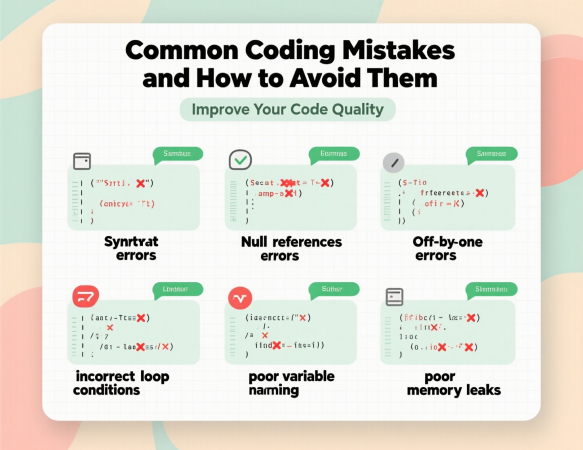
In the ever-evolving world of software development, writing clean, efficient, and error-free code is paramount. However, even seasoned developers can fall prey to common coding mistakes that lead to bugs, performance issues, or maintainability challenges. We aim to provide an exhaustive guide to identifying and avoiding these pitfalls, ensuring that your code is robust, scalable, and maintainable. This comprehensive article dives deep into the most frequent coding mistakes, their implications, and actionable strategies to prevent them, equipping developers of all levels with the knowledge to write better code.
Why Avoiding Coding Mistakes Matters
Errors in code can have far-reaching consequences, from minor bugs that frustrate users to critical system failures that cost businesses time and money. By understanding common coding mistakes, developers can proactively address issues before they escalate. Whether you’re a beginner learning the ropes or an experienced programmer refining your craft, recognizing these pitfalls is the first step toward creating reliable software. We’ll explore mistakes across various programming paradigms, languages, and contexts, offering practical solutions to enhance your coding practices.
1. Neglecting Code Documentation
The Problem
One of the most pervasive coding mistakes is failing to document code adequately. Without clear documentation, other developers (or even your future self) may struggle to understand the purpose, logic, or functionality of your code. This can lead to misinterpretations, wasted time, and errors when modifying or debugging the codebase.
Consequences
- Team Inefficiency: Undocumented code slows down collaboration, as team members spend excessive time deciphering logic.
- Maintenance Challenges: Lack of documentation makes it harder to update or refactor code, increasing technical debt.
- Onboarding Delays: New developers face steep learning curves, delaying their contributions.
How to Avoid
- Write Clear Comments: Add inline comments to explain complex logic, functions, or non-obvious code segments. Use consistent formatting for readability.
- Maintain a README: Create a comprehensive README file for each project, detailing setup instructions, dependencies, and usage.
- Use Documentation Tools: Leverage tools like JSDoc (JavaScript), Doxygen (C/C++), or Sphinx (Python) to generate structured documentation.
- Document as You Code: Incorporate documentation into your workflow to avoid the temptation to skip it later.
- Follow Naming Conventions: Use descriptive variable and function names to make code self-explanatory, reducing the need for extensive comments.
Example
Instead of:
More Read

// Bad
function calc(a, b) {
  return a * b;
}
Use:
// Good
// Calculates the product of two numbers
function calculateProduct(num1, num2) {
  return num1 * num2;
}
By adopting these practices, we ensure that our codebases remain accessible and maintainable, reducing errors caused by miscommunication.
2. Ignoring Error Handling
The Problem
Failing to implement proper error handling is a critical coding mistake that can cause applications to crash or behave unpredictably. Many developers assume ideal conditions, neglecting edge cases or unexpected inputs.
Consequences
- Application Crashes: Unhandled exceptions can terminate programs abruptly, degrading user experience.
- Security Vulnerabilities: Poor error handling may expose sensitive information or allow malicious inputs to exploit the system.
- Debugging Difficulties: Without proper error messages, diagnosing issues becomes time-consuming.
How to Avoid
- Use Try-Catch Blocks: In languages like JavaScript, Python, or Java, wrap risky operations in try-catch blocks to gracefully handle exceptions.
- Validate Inputs: Always validate user inputs to prevent invalid data from causing errors.
- Log Errors: Implement logging to capture error details, including stack traces, timestamps, and context, for easier debugging.
- Provide User-Friendly Messages: Display clear, non-technical error messages to users while logging detailed errors for developers.
- Handle Edge Cases: Test for boundary conditions, such as null values, empty strings, or extreme inputs.
Example
Instead of:
# Bad
def divide(a, b):
  return a / b
Use:
# Good
def divide(a, b):
  try:
    if b == 0:
      raise ValueError("Division by zero is not allowed")
    return a / b
  except ValueError as e:
    logging.error(f"Error: {e}")
    return None
By prioritizing error handling, we create robust applications that maintain functionality under adverse conditions.
3. Hardcoding Values
The Problem
Hardcoding values, such as API keys, database credentials, or configuration settings, directly into the source code is a dangerous coding mistake. This practice compromises security and makes maintenance difficult.
Consequences
- Security Risks: Hardcoded credentials can be exposed in version control systems or during code reviews.
- Inflexibility: Changing hardcoded values requires modifying the codebase, increasing the risk of errors.
- Environment Conflicts: Hardcoded values may not work across development, staging, and production environments.
How to Avoid
- Use Configuration Files: Store configuration settings in external files (e.g.,
.env, YAML, or JSON) and load them dynamically. - Leverage Environment Variables: Use environment variables for sensitive data like API keys or database credentials.
- Implement Secret Management: Use tools like AWS Secrets Manager, HashiCorp Vault, or Azure Key Vault for secure storage.
- Avoid Committing Sensitive Data: Add configuration files to
.gitignoreto prevent accidental exposure in repositories. - Use Constants: For non-sensitive, reusable values, define constants in a dedicated module or file.
Example
Instead of:
// Bad
const apiKey = "12345-abcde-67890";
fetch(`https://api.example.com/data?key=${apiKey}`);
Use:
// Good
const apiKey = process.env.API_KEY;
fetch(`https://api.example.com/data?key=${apiKey}`);
By externalizing configuration, we enhance security and flexibility, avoiding costly mistakes.
4. Overcomplicating Code
The Problem
Writing overly complex code, often in an attempt to optimize prematurely or showcase technical prowess, is a frequent coding mistake. Complex code is harder to read, maintain, and debug.
Consequences
- Reduced Readability: Complicated logic confuses other developers, slowing down collaboration.
- Increased Bugs: Complex code is more prone to errors that are difficult to detect and fix.
- Maintenance Overhead: Refactoring or extending complex code takes longer and introduces risks.
How to Avoid
- Follow KISS Principle: Keep It Simple, Stupid—prioritize simplicity and clarity over cleverness.
- Break Down Functions: Divide large functions into smaller, single-responsibility functions.
- Use Design Patterns Judiciously: Apply patterns like Singleton or Factory only when they solve specific problems.
- Refactor Regularly: Periodically review and simplify code to eliminate unnecessary complexity.
- Write Readable Code: Use clear variable names, consistent formatting, and logical structure.
Example
Instead of:
# Bad
def process_data(d): return [x**2 for x in d if x > 0 and x % 2 == 0]
Use:
# Good
def process_data(data):
  squared_evens = []
  for num in data:
    if num > 0 and num % 2 == 0:
      squared_evens.append(num ** 2)
  return squared_evens
By keeping code simple, we improve its maintainability and reduce the likelihood of errors.
5. Not Following Naming Conventions
The Problem
Inconsistent or unclear naming of variables, functions, and classes is a subtle but impactful coding mistake. Poor naming obscures code intent and hinders collaboration.
Consequences
- Confusion: Vague names like
x,temp, ordatamake it hard to understand code logic. - Collaboration Issues: Inconsistent naming across a codebase confuses team members.
- Refactoring Challenges: Poorly named elements complicate code updates and maintenance.
How to Avoid
- Adopt Language-Specific Conventions: Follow naming conventions like camelCase (JavaScript), snake_case (Python), or PascalCase (C#).
- Use Descriptive Names: Choose names that clearly describe purpose, e.g.,
calculateTotalPriceinstead ofcalc. - Be Consistent: Apply the same naming style across the entire codebase.
- Avoid Abbreviations: Use full words unless abbreviations are universally understood (e.g.,
idfor identifier). - Use Nouns for Variables, Verbs for Functions: Variables should represent entities (e.g.,
userCount), while functions should describe actions (e.g.,fetchUserData).
Example
Instead of:
// Bad
let x = 10;
function calc(y) {
  return x + y;
}
Use:
// Good
let itemCount = 10;
function calculateTotalItems(additionalItems) {
  return itemCount + additionalItems;
}
Clear naming enhances code readability and reduces misinterpretations.
6. Ignoring Code Modularity
The Problem
Writing monolithic code without breaking it into reusable modules or components is a coding mistake that leads to duplication and maintenance challenges.
Consequences
- Code Duplication: Repeated logic increases the risk of inconsistent behavior and bugs.
- Scalability Issues: Monolithic code is harder to scale or extend as requirements evolve.
- Testing Difficulties: Large, tightly coupled codebases are challenging to test thoroughly.
How to Avoid
- Break Code into Modules: Organize code into logical modules or files based on functionality.
- Use Functions and Classes: Encapsulate related logic in functions or classes to promote reuse.
- Apply DRY Principle: Don’t Repeat Yourself—refactor repeated code into reusable components.
- Leverage Frameworks: Use frameworks like React, Django, or Spring to enforce modularity.
- Write Unit Tests: Create tests for individual modules to ensure they work independently.
Example
Instead of:
// Bad
function processUser(user) {
  console.log(user.name);
  console.log(user.email);
  // More user processing logic
}
function processAdmin(admin) {
  console.log(admin.name);
  console.log(admin.email);
  // Similar processing logic
}
Use:
// Good
function logUserDetails(user) {
  console.log(user.name);
  console.log(user.email);
}

function processUser(user) {
  logUserDetails(user);
  // User-specific logic
}

function processAdmin(admin) {
  logUserDetails(admin);
  // Admin-specific logic
}
Modular code is easier to maintain and test, reducing errors and improving scalability.
7. Not Testing Code Thoroughly
The Problem
Failing to test code adequately is a coding mistake that allows bugs to slip into production. Many developers rely solely on manual testing or skip testing altogether.
Consequences
- Bugs in Production: Untested code increases the likelihood of defects affecting users.
- Regression Issues: Changes to the codebase may break existing functionality without proper tests.
- Increased Debugging Time: Finding and fixing bugs without tests is time-consuming.
How to Avoid
- Write Unit Tests: Create tests for individual functions or modules to verify their behavior.
- Use Test Frameworks: Leverage tools like Jest (JavaScript), PyTest (Python), or JUnit (Java) for structured testing.
- Test Edge Cases: Include tests for boundary conditions, invalid inputs, and error scenarios.
- Automate Testing: Set up continuous integration (CI) pipelines to run tests automatically on code changes.
- Perform Code Reviews: Have peers review code to catch potential issues before testing.
Example
Instead of:
# Bad
def add(a, b):
  return a + b
Use:
# Good
def add(a, b):
  return a + b

# Unit test with PyTest
def test_add():
  assert add(2, 3) == 5
  assert add(-1, 1) == 0
  assert add(0, 0) == 0
Comprehensive testing ensures code reliability and reduces production issues.
8. Overlooking Performance Optimization
The Problem
Writing code without considering performance implications is a coding mistake that can lead to slow applications, especially under heavy load.
Consequences
- Poor User Experience: Slow performance frustrates users and may drive them away.
- Scalability Issues: Inefficient code struggles to handle increased traffic or data.
- Higher Costs: Inefficient algorithms may require more computational resources, increasing hosting costs.
How to Avoid
- Profile Code: Use profiling tools like Chrome DevTools, Python’s cProfile, or Java’s VisualVM to identify bottlenecks.
- Optimize Algorithms: Choose efficient algorithms and data structures (e.g., hash maps for lookups instead of lists).
- Minimize Database Queries: Use batch operations or caching to reduce database load.
- Leverage Asynchronous Programming: In languages like JavaScript or Python, use async/await to handle I/O-bound tasks efficiently.
- Avoid Premature Optimization: Focus on optimizing critical paths rather than over-optimizing minor functions.
Example
Instead of:
// Bad
function findItem(items, target) {
  for (let i = 0; i < items.length; i++) {
    if (items[i] === target) return i;
  }
  return -1;
}
Use:
// Good
function findItem(items, target) {
  return items.indexOf(target); // Built-in method is optimized
}
Optimizing performance ensures applications remain responsive and cost-effective.
9. Not Version Controlling Code
The Problem
Failing to use version control systems like Git is a coding mistake that jeopardizes collaboration and code integrity.
Consequences
- Lost Changes: Without version control, accidental overwrites or deletions are irreversible.
- Collaboration Conflicts: Teams struggle to merge changes without a clear history.
- Debugging Challenges: Tracking down when and why bugs were introduced becomes difficult.
How to Avoid
- Use Git: Initialize repositories with Git and host them on platforms like GitHub, GitLab, or Bitbucket.
- Commit Frequently: Make small, logical commits with clear messages to track changes.
- Use Branches: Create feature branches for new work to keep the main branch stable.
- Write Descriptive Commit Messages: Explain the purpose of changes for future reference.
- Back Up Code: Ensure repositories are backed up to remote servers to prevent data loss.
Example
Instead of:
# Bad
cp project project_backup
Use:
# Good
git init
git add .
git commit -m "Initial commit with project setup"
git push origin main
Version control streamlines collaboration and safeguards code.
10. Ignoring Security Best Practices
The Problem
Neglecting security considerations, such as input validation or secure data storage, is a coding mistake that exposes applications to vulnerabilities.
Consequences
- Data Breaches: Poor security practices can lead to unauthorized access to sensitive data.
- Application Exploits: Vulnerabilities like SQL injection or XSS can compromise systems.
- Reputation Damage: Security incidents erode user trust and harm brand reputation.
How to Avoid
- Sanitize Inputs: Validate and sanitize all user inputs to prevent injection attacks.
- Use Prepared Statements: For database queries, use parameterized queries to avoid SQL injection.
- Implement Authentication: Use secure authentication mechanisms like OAuth or JWT.
- Encrypt Sensitive Data: Apply encryption for data at rest and in transit (e.g., HTTPS, AES).
- Stay Updated: Regularly update dependencies to patch known vulnerabilities.
Example
Instead of:
# Bad
query = f"SELECT * FROM users WHERE id = {user_id}"
cursor.execute(query)
Use:
# Good
query = "SELECT * FROM users WHERE id = %s"
cursor.execute(query, (user_id,))
Prior应用
Prioritizing security protects applications and users from threats.
Additional Common Coding Mistakes
11. Misusing Global Variables
- Problem: Overusing global variables leads to unpredictable behavior and debugging challenges.
- Solution: Use local variables, pass parameters explicitly, or use state management patterns (e.g., Redux for React).
12. Not Handling Memory Leaks
- Problem: Failing to release unused memory in languages like C++ or JavaScript can degrade performance.
- Solution: Use tools like Valgrind or browser developer tools to detect leaks, and follow proper resource cleanup practices.
13. Ignoring Concurrency Issues
- Problem: Mishandling concurrent operations in multithreaded applications causes race conditions or deadlocks.
- Solution: Use synchronization primitives like Ascertain the importance of avoiding common coding mistakes to write robust, maintainable, and secure code. By following best practices in documentation, error handling, configuration management, code simplicity, naming conventions, modularity, testing, performance optimization, version control, and security, developers can significantly improve the quality and reliability of their software. These strategies not only prevent bugs but also enhance collaboration, scalability, and user trust. Implementing these practices consistently ensures long-term success in software development projects.
Recommendations and Suggestions
To further enhance coding practices, we recommend:
- Adopting Code Reviews: Regular peer reviews catch errors early and improve code quality.
- Using Linters and Formatters: Tools like ESLint or Prettier enforce coding standards and catch potential issues.
- Investing in Training: Continuous learning through courses or workshops keeps skills sharp and up-to-date.
- Monitoring and Logging: Implement robust monitoring to detect and diagnose issues in production.
- Staying Proactive: Regularly update dependencies and review code for security and performance improvements.
FAQs
- What are common coding mistakes?
Common coding mistakes include neglecting documentation, poor error handling, hardcoding values, overcomplicating code, inconsistent naming, and ignoring modularity, testing, performance, version control, and security. - Why is code documentation important?
Documentation clarifies code intent, aiding collaboration, maintenance, and onboarding. - How can I improve error handling in my code?
Use try-catch blocks, validate inputs, log errors, and test edge cases. - What is hardcoding, and why should I avoid it?
Hardcoding embeds fixed values in code, risking security and inflexibility. Use configuration files or environment variables instead. - How does overcomplicating code affect development?
Complex code reduces readability, increases bugs, and complicates maintenance. - What are good naming conventions for coding?
Use descriptive, consistent names following language-specific conventions (e.g., camelCase, snake_case). - Why is code modularity important?
Modularity reduces duplication, enhances scalability, and simplifies testing. - How can I ensure thorough code testing?
Write unit tests, use test frameworks, test edge cases, and automate testing. - What are the risks of ignoring performance optimization?
Poor performance leads to slow applications, scalability issues, and higher costs. - Why should I use version control?
Version control tracks changes, enables collaboration, and prevents data loss. - How can I secure my code against vulnerabilities?
Sanitize inputs, use prepared statements, implement secure authentication, and encrypt data. - What are global variables, and why are they problematic?
Global variables can cause unpredictable behavior. Use local variables or state management instead. - How do memory leaks affect applications?
Memory leaks degrade performance by consuming unused resources. Use tools to detect and fix them. - What are concurrency issues in coding?
Concurrency issues like race conditions arise in multithreaded applications. Use synchronization primitives to manage them. - How can I stay updated on coding best practices?
Take courses, attend workshops, and follow industry blogs to stay current.